Humming

Talk, and it types. Offline by default: your voice stays on your device.

Humming is a full keyboard with voice typing that runs on your phone or computer, not in someone else's cloud. Dictate for as long as you like, in airplane mode, with the screen off. Free, open source, no account.

  • Works in airplane mode
  • No analytics, no ads
  • Android, iPhone, Windows, macOS, Linux
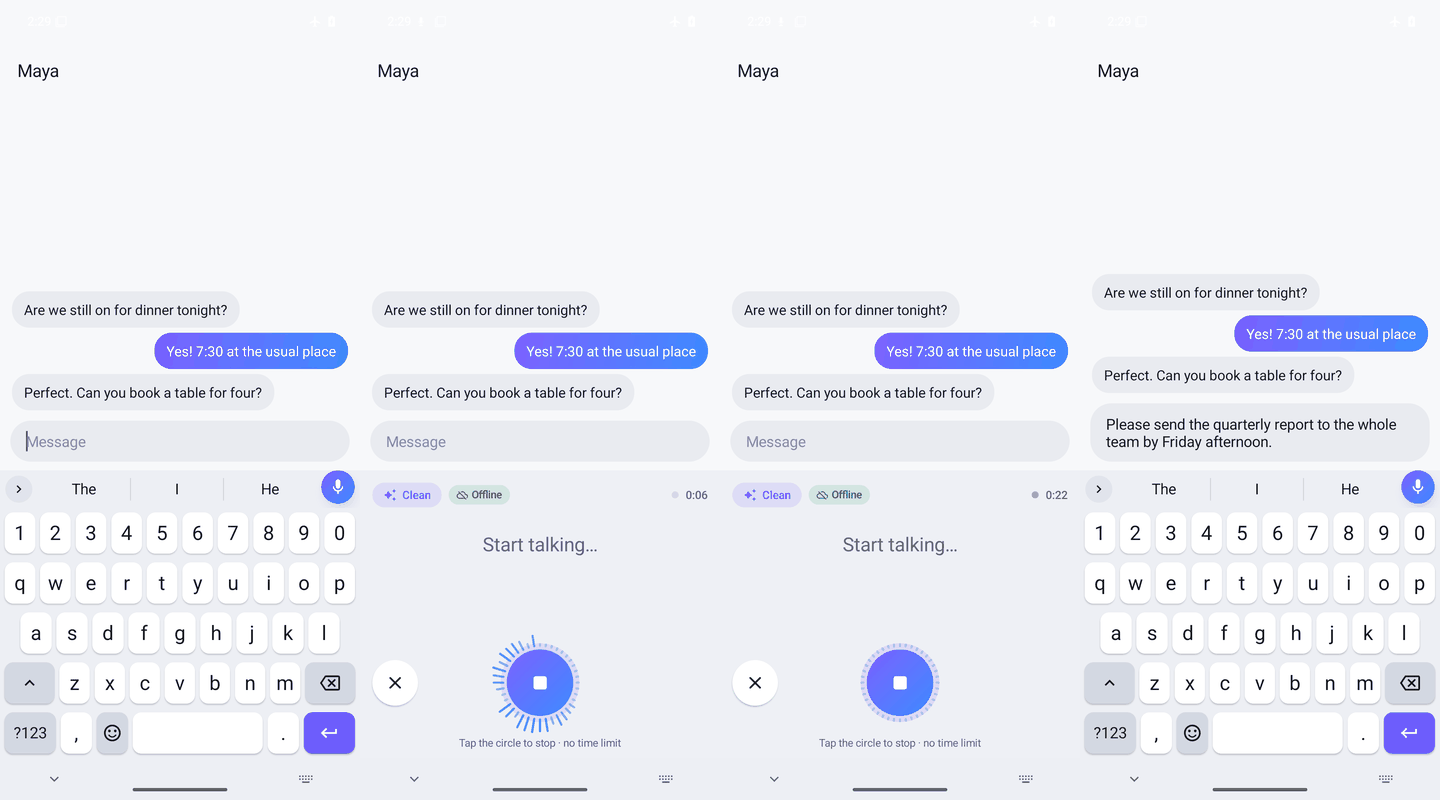
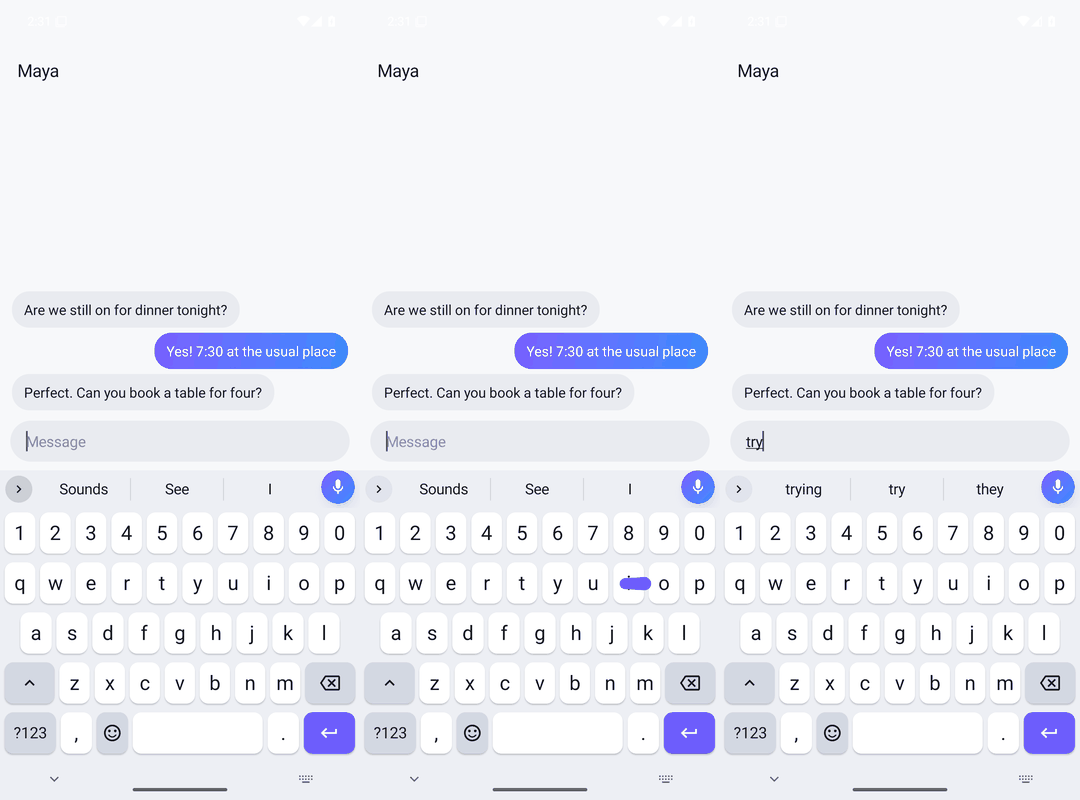
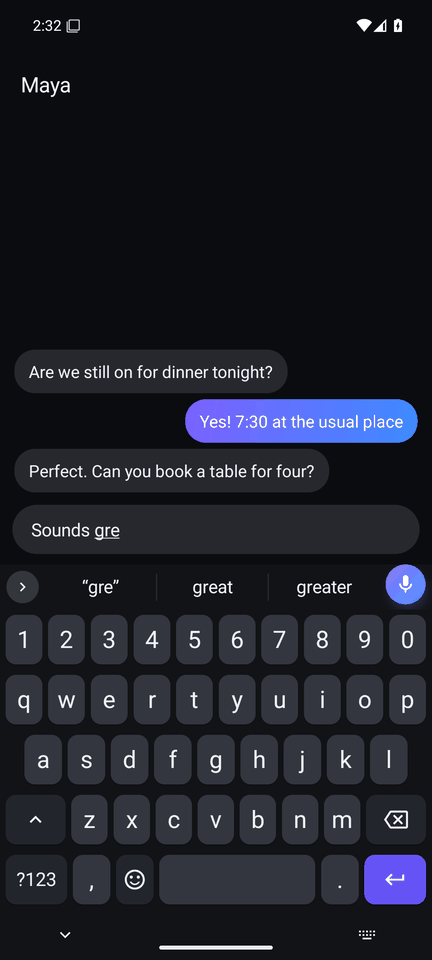
Android: tapping the mic, speaking, and the words appearing in a chat message as an underlined draft
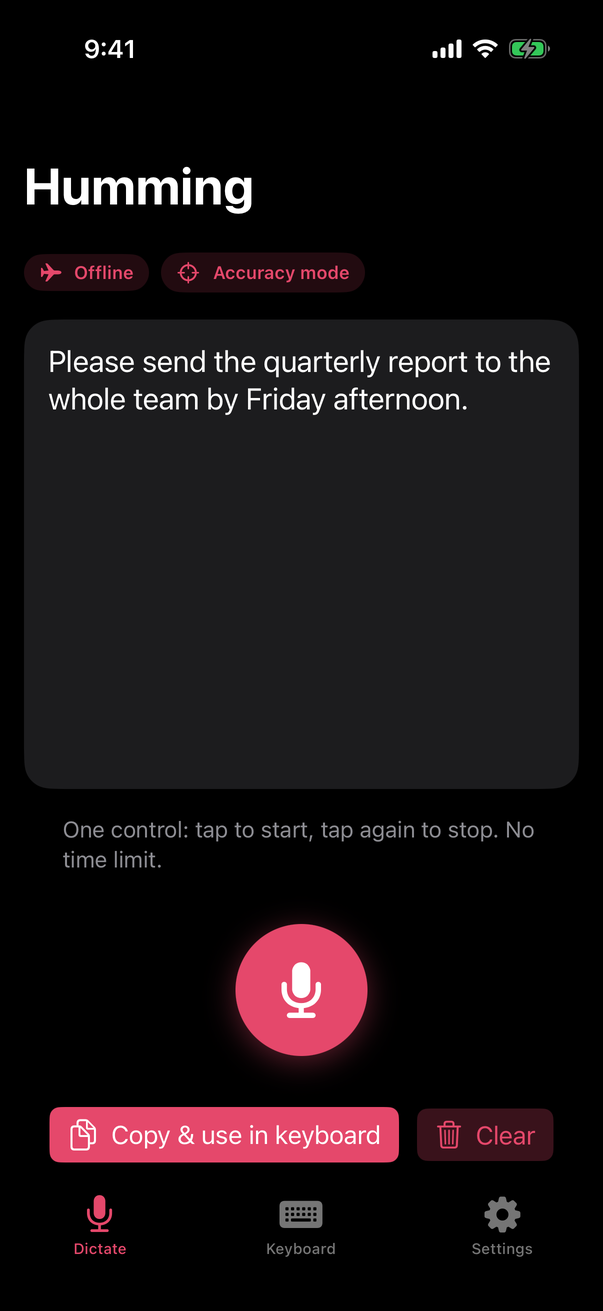
iPhone app in dark mode with a dictated sentence and the Offline badge
Offline by default
Speech recognition runs on the device: NVIDIA Parakeet on Android and desktop, Apple's on-device recogniser on iPhone.
2.78 % word error rate
Fast model, LibriSpeech test-clean, first 200 clips (±0.5 points), measured in CI. Method
No length limit
An hour of dictation works like ten seconds. On desktop no cap is set unless you choose one.
Open source
Apache-2.0. The benchmark script and its raw output are in the repository.

Everything a keyboard should do. Voice that stays yours.

One app on each platform, the same speech models and the same clean-up rules everywhere.

Words land as you speak

Tap the mic and talk. Your sentence appears in the text field as an underlined draft that corrects itself in place, then is typed once when you stop. It keeps listening with the screen off or in another app.

  • Clean mode drops um and uh (there is a switch to keep them) and applies self-corrections: "3, no, 4pm" becomes "4pm".
  • Spoken commands: "new line", "comma", "scratch that", "bullet point", and in 1.7 "colon", quotes, brackets and "delete last word".
  • Custom words, so names come out spelled your way, and replacements: say "my sig", get your signature.
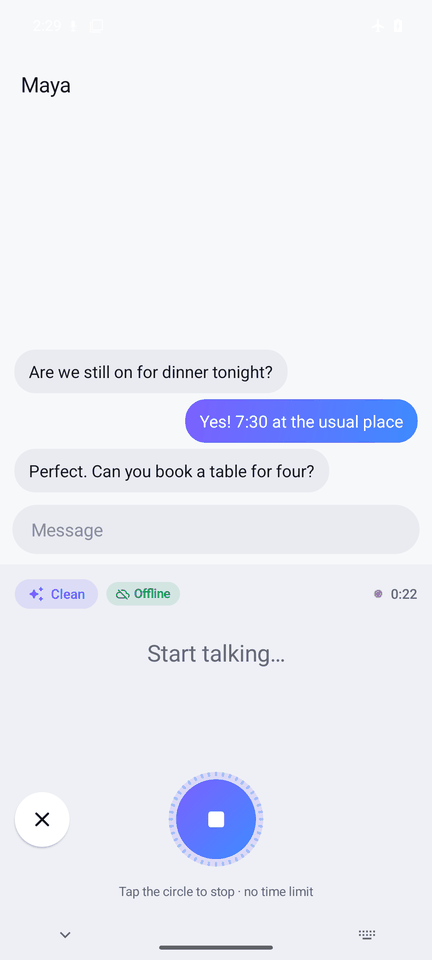
Voice panel while listening: one round control and a running timer, no time limit
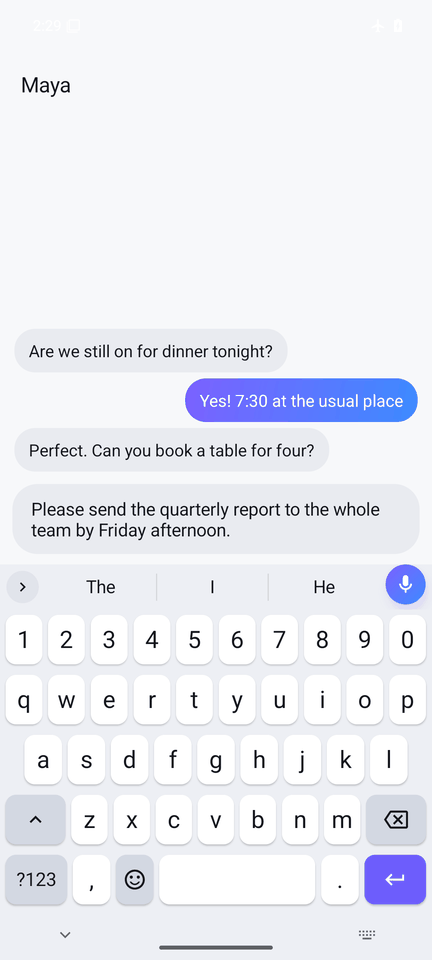
The dictated sentence typed into a chat

A full keyboard, not just a mic

Built on FlorisBoard and tuned for everyday typing, with prediction that reads the whole sentence and runs on the phone.

  • Word prediction and autocorrect in six languages, with an on-device neural next-word model for English.
  • Glide typing, emoji search, stickers, and optional GIF search.
  • Clipboard history: 100 items by default, nothing deleted automatically unless you ask.
  • Light, dark and AMOLED themes, your own photo, one-handed, floating and split layouts.
Glide typing a word across the keys
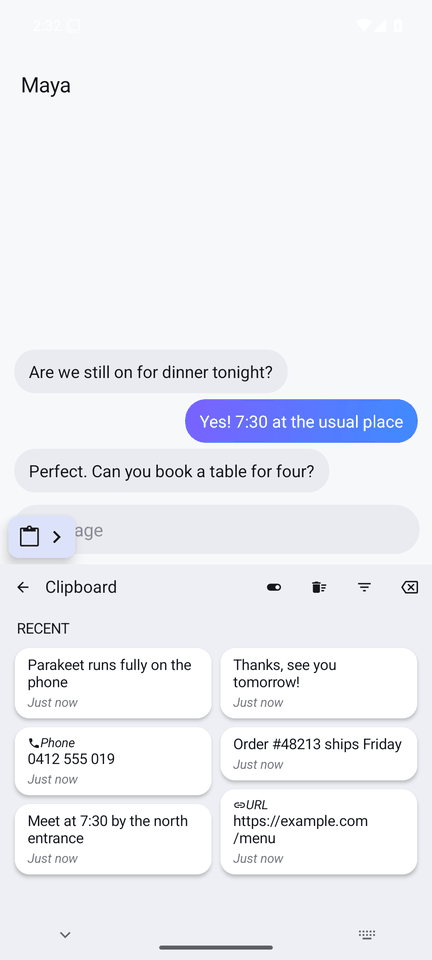
Clipboard history in a two-column grid with timestamps

Your computer, too

Hold Ctrl + Shift + Space (Cmd on a Mac) in any app, talk, let go: the text is pasted where your cursor is. The same Parakeet models as Android, downloaded once and checked against a pinned SHA-256.

  • Windows, macOS and Linux, from a tray or menu-bar app.
  • Searchable history on the computer, a personal dictionary, spoken lists as bullets.
  • Signed self-updates: the app refuses any file not signed with Humming's update key.
Humming desktop app: status, speech model and a Try it box

And on iPhone

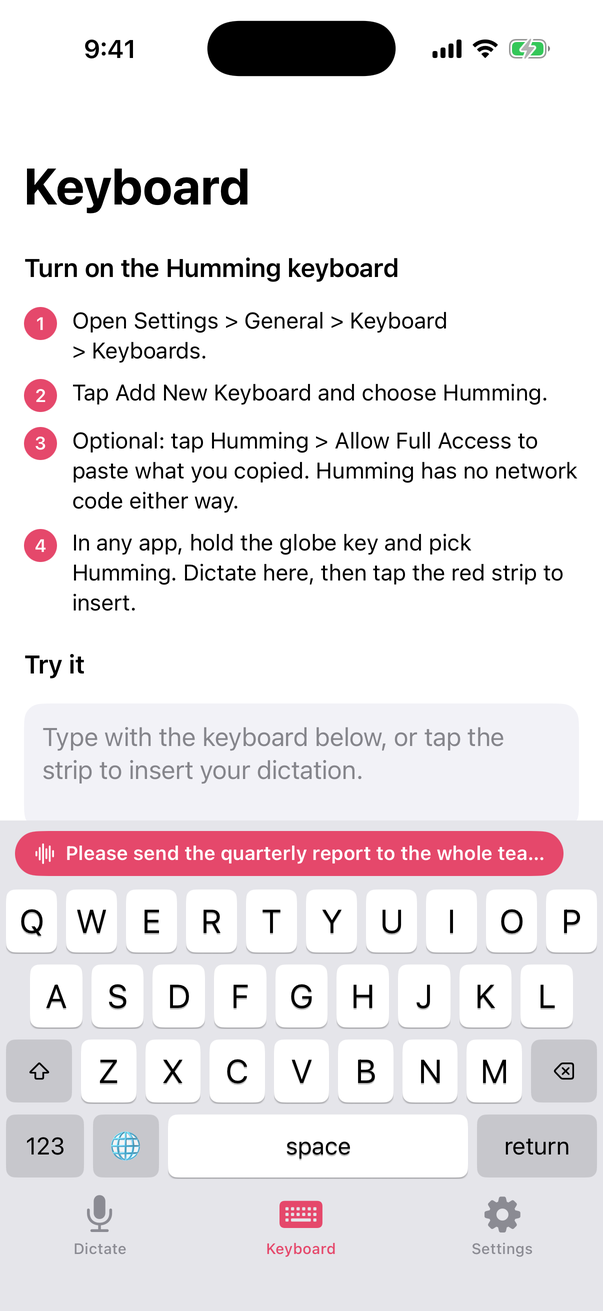
The app records with Apple's speech recogniser with on-device recognition required: it refuses to run rather than fall back to a server. iOS keyboards can't use the microphone, so you dictate in the app and the Humming keyboard inserts the result in one tap.

  • The same Clean mode, Accuracy mode and custom words as Android and desktop.
  • Distributed as an unsigned .ipa you sideload with your own Apple ID.
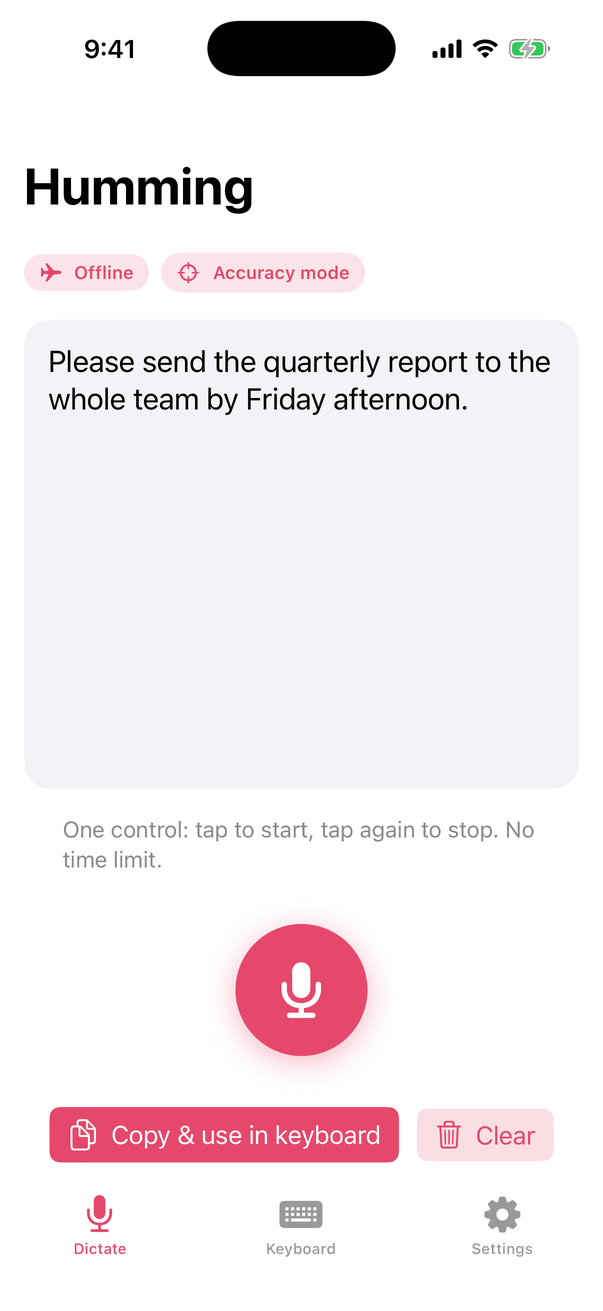
iPhone app with clean dictated text and the Offline badge
Humming keyboard on iPhone with the insert strip

New in 1.7 release candidate

Gaps closed after a teardown of Gboard, SwiftKey, the Bangla keyboards and the dictation apps.

  • Bangla phonetic typing. Add Bengali with a QWERTY layout and type the way Avro users do: ami bangla likhi becomes আমি বাংলা লিখি, one word at a time, with the Latin word one tap away.
  • Dictation that fits the sentence. Dictate into the middle of a line and Humming lowercases the first word, skips the stray space after a bracket and drops the final period when your sentence carries on.
  • Dictation like the dictation apps. Say "bullet point" for a list item, "scratch that" to drop the last sentence, and write "spoken -> written" in custom words to turn a phrase into anything. Filler removal now has its own switch. On Android, desktop and iPhone.
  • More spoken punctuation. Colon, semicolon, quotes, brackets, ellipsis and "delete last word", the same on Android, desktop and iPhone.

These ship in the 1.7.0 release candidate and are covered by unit tests that run in CI.

The Humming keyboard in its dark theme with the suggestion strip

Private by design, and checked in code

No account, no analytics, no ads. The offline voice path has no network code, and a unit test fails the build if any file outside a short list uses a network API.

Stays on your device

  • Your voice. In the default Offline mode, audio is recorded and transcribed on the device.
  • What you type. Suggestions and corrections are computed on the phone; learned words never leave it.
  • Clipboard and history. Kept on the device, and skipped entirely in incognito.

The only times it goes online

  1. The one-time speech model download, checked against a pinned SHA-256.
  2. The update check of the sideloaded app (on by default, sends no personal data; switch it off in Settings).
  3. GIF search, off by default: only the words you type in its search box.
  4. AI clean-up with your own key, off by default: the finished text, never audio.
  5. Online mode, off by default: hands audio to the phone's own speech service.

Full details: privacy policy.

Humming vs other keyboards

Only publicly documented facts. Where a vendor publishes nothing, the cell says so.

Vendors' help pages, store listings and official repositories, checked 17 October 2026. Every source is listed in COMPETITORS.md.
FeatureHummingGboardMicrosoft SwiftKeyRidmik (Bangla)
Offline voice typingYes, the default, every platform (English)Pixel 6 or later, 6 languagesNot in the stable app; an on-device English mode is reported in a betaNo, uses Google's speech service online
Published accuracyWER 2.78 % (Fast), 1.68 % (Best)Not publishedNot publishedNot published
TelemetryNoneUsage statistics; federated learning on by defaultTyping data opt-in; voice clips with opt-outPlay label: may collect personal info and device IDs
Voice time or word limitsNoneRambler: "usage limits", no numbersNone documentedNone documented
Bangla phonetic typingYes, Avro-style (1.7)Own transliteration layoutAndroid only, own schemeYes, Avro-style
Clipboard history100 items, nothing auto-deleted by defaultClips expire after 1 hour unless pinnedClips expire after 1 hour unless pinnedRecent clips
Desktop appWindows, macOS, LinuxNoNo (left Windows in 2020)No
iPhoneYes (sideload)Listed; last updated May 2022YesYes
Price and adsFree, no adsFreeFree; ads on Android (Play listing)Free; ads and in-app purchases on Android (Play listing)
Open sourceYes, Apache-2.0NoNoNo

Where Humming trails: offline voice is English only, and Gboard and SwiftKey support hundreds of typing languages and install from the app stores.

Humming vs dictation apps

The dictation apps clean up what you say. So does Humming, on the device, on five platforms, for free.

Vendors' own pages, checked 17 October 2026; sources in COMPETITORS.md. Error rates come from different test sets and are not comparable with each other.
FeatureHummingWispr FlowSuperwhisperAqua VoiceApple Dictation
Works offlineYes, the default, every platform (English)No, cloud onlyYes, with local modelsNo, cloud onlyOn the device in many languages
Published accuracyWER 2.78 % (Fast), LibriSpeech test-cleanCharts only; 8.7 % measured by Superwhisper6.6 % WER, its own 8-set benchmark5.55 % WER, test set not statedNot published
Filler words removedYes, with a switchYes, three levelsYes (Message mode)Not documentedNot documented
Lists by voiceYes, "bullet point" and "first, second"YesYes (Note mode)Through custom instructionsNot documented
"Scratch that"Yes, every platformYes (Backtrack)Not documentedNot documented"Delete" and "undo" on iPhone, US English
Spoken → written replacementsYes, every platformYes, and snippetsYesYesNone documented for dictation
Edit existing text by voiceNoCommand Mode (Pro, desktop)On selected textEdit ModeiPhone, US English
PlatformsAndroid, iPhone, Windows, macOS, LinuxMac, Windows, iOS, AndroidmacOS, Windows, iOS, AndroidmacOS, Windows, iOS, AndroidiPhone, iPad, Mac
Bangla dictationNo (Bangla typing only)UnverifiedNot namedYes, onlineNot listed
PriceFree, no word capFree 2,000 words a week; Pro $15 a monthFree with local models; Pro $8.49 a monthFree 1,000 words; Pro $10 a monthFree with the OS
Open sourceYes, Apache-2.0NoNoNoNo

Where Humming trails: no voice editing of text already in the field, no per-app tone, and offline dictation is English only. Typeless, Willow, MacWhisper and Google are in COMPETITORS.md.

Measured, with the script in the repo

LibriSpeech, the standard read-English benchmark, with the exact models and decoder settings the apps ship. Lower is better.

CI run 37204875974 on 4 October 2026, 2-thread x86-64 desktop CPU. First 200 test-clean and 100 test-other clips, so treat the WER as ±0.5 points. Phone speed has not been benchmarked. Raw output: docs/bench.
ModelWER test-cleanWER test-otherMedian time to textDownload
Fast (default), Parakeet TDT-CTC 110M2.78 %4.20 %312 ms104 MB
Best, Parakeet TDT 0.6B v21.68 %3.12 %1314 ms482 MB

Download

Every file is on the latest GitHub Release with a SHA256SUMS.txt.

Android

Android 8.0 or later. Open the APK, allow installs from your browser, then enable the keyboard in two steps.

Get the APK

iPhone and iPad

iOS 16 or later. An unsigned .ipa: sideload it with your own free Apple ID.

Sideload guide

Windows

Windows 10 or 11, x64. Unsigned for now: in SmartScreen choose More info, then Run anyway.

Get the .exe

macOS

macOS 11 or later, Apple silicon and Intel. First open: System Settings, Privacy & Security, Open Anyway.

Get the .dmg

Linux

x86-64 AppImage (updates itself) or .deb. Auto-paste works on X11 and XWayland apps.

Get AppImage
Check what you downloaded. Every release has SHA256SUMS.txt; the Android APK is signed with the release key whose SHA-256 certificate digest is shown below.
sha256sum -c SHA256SUMS.txt --ignore-missing
apksigner verify --print-certs Humming-*.apk
# Signer #1 certificate SHA-256 digest:
# 8C:8B:68:BB:E6:3A:A4:2A:85:61:59:AA:A5:B0:C9:0C:D9:54:EE:F7:8A:98:0D:39:BC:B6:69:41:75:3E:1F:C6

Questions

Does voice typing really work without the internet?

Yes, in the default Offline mode. The first time you tap the mic on Android or open the desktop app, Humming downloads the speech model once (104 MB for the Fast model). After that, dictation needs no connection. On iPhone, Humming requires Apple's on-device recognition and refuses to run rather than use a server.

Which languages can I dictate in?

Offline voice typing is English today, on every platform. On Android, the optional Online mode uses your phone's own speech service and its languages, but then audio leaves the phone. Typing works in many layouts, with prediction in English, German, Spanish, French, Italian and Portuguese, and Bangla phonetic typing from 1.7.

How do I type Bangla phonetically?

In Settings, Languages & layouts, add Bengali and choose the QWERTY layout. Type romanised Bangla; each word is suggested in Bangla script and space or punctuation types it. Capitals follow the Avro convention (T, D, N, R, Sh for the retroflex letters; I, U, O for long vowels). The fixed Bengali layout is still there if you prefer it.

Why is the iPhone app a sideload?

It is not on the App Store yet, so releases ship as an unsigned .ipa. You sign it with your own free Apple ID through Sideloadly, AltStore or Xcode and re-sign it every 7 days. The sideload guide walks through it.

Why do Windows and macOS warn me on first launch?

The desktop builds are not yet signed with a Microsoft or Apple developer certificate, so the system shows a one-time warning. Updates after that are signed with Humming's own update key and checked before they install.

What does the update check send?

It fetches a small public file to see whether a newer version exists. It sends no audio, no typed text and no identifiers; the hosting providers see your IP address, as with any download. You can turn automatic checks off in Settings, Updates. The Google Play version leaves updates to Play.

Is it free? What's the catch?

Free, with no ads, no account and no paid tier. The code is licensed Apache-2.0. The optional AI clean-up uses your own API key with the provider you choose, and is off by default.